
Build an AI agent that can see what your customers show it.
VoiceScholr is a free, no-code builder for live AI agents that see your customer’s camera or shared screen and talk them through the problem in real time. Share yours as a link, or put it on your website.
VoiceScholr Guide (test)
Free calls last up to 10 minutes. It’s an AI, so it can get things wrong.
No card. No app or account for your customers. Calls aren’t recorded. Limits
built on Stream Vision Agents and Gemini Live
Everything your agent can do.
It sees
- 01
Sees what they show
The camera or a shared screen, about one frame a second.
- 03
Takes a photo, with permission
It asks first, then reads the small print on a label or a serial number.
It knows
- 04
Answers from your facts
Paste your prices, policies or manual. It looks them up when a question needs them.
- 05
Searches the web
When your facts run out, it can search the web.
It acts
- 06
On Shopify it finds a product and shows it to the shopper.
- 07
Points at the page
It highlights the part of your page it is talking about.
- 08
Takes the lead
It asks for a name and an email, confirms them, and sends them to you.
It’s yours
- 09
Built in one sentence
Describe it, and we write the instructions.
Chatbots and phone lines can’t see the problem.
A dented bumper, a router’s lights, a settings page: people struggle to put it into words. Your agent looks at it with them instead.
Customers can't describe what they're looking at.
So they show it. Your agent watches their camera or shared screen, about a frame a second, and talks them through it by voice.
“Please send us a photo” turns into a week of emails.
Your agent looks at it with them, live. It asks for the angle it needs and takes a sharp snapshot to read a label or serial number.
Three ways to start.
Pick the one that fits today. You can do the others later.
Build it yourself
Free, with no card. Describe your agent in one sentence, or start from a template and edit it.
Start free- 1
Describe it, or pick a template
One sentence is enough: we write the instructions. Paste your prices, policies or manual as its knowledge.
- 2
Talk to it in your browser
Test it with your camera or a shared screen before anyone else sees it.
- 3
Share the link, embed it, or add a Talk button
Send the link in an email or a text, print it as a QR code, or put the agent on your website.
Put it on your site
Share the link, paste the embed code into any page, or add a floating Talk button with one script tag. Shopify stores get a voice shopping assistant.
Talk to a person
Want to see it first, or ask a question before you build? Book a call with Abhishek through our own agent, or email us.
Six products, one agent.
Each one is the same agent with a different job. Anything that is not built yet says so.
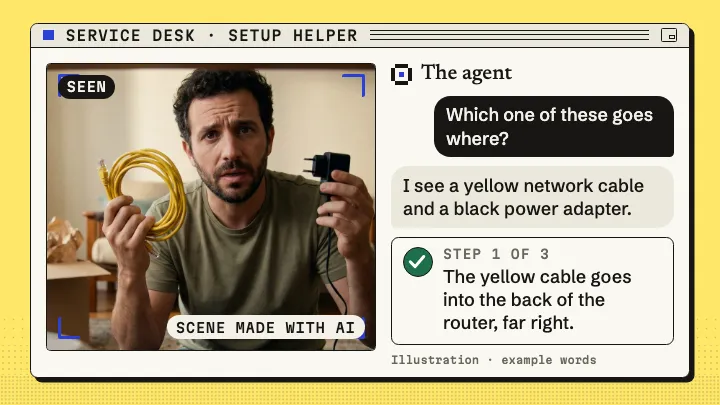
Service Desk
For claims and front desks. The caller shows the problem, and the agent asks, looks and takes a photo with permission.
- Claims helper: the caller films the damage
- Front desk, with an optional face
- Refund checkerComing soon
Meetings
It presents your deck on a call and answers questions about it.
- Shows the slide that answers
- Presenter: it walks through your PDFComing soon
- Tech meeting copilotComing soon
- Coming soon
HR Screener
A first interview by video. It notes each answer and flags plain facts, and a person decides.
- Interviews the candidate
- Records only when the candidate agrees
- Flags facts with a time, never a score
Shopify
A voice assistant on your Shopify store, added with one script. It finds the product and shows it.
- Store assistant: finds products by voice
- Website guide: goes to the page and highlights the answer
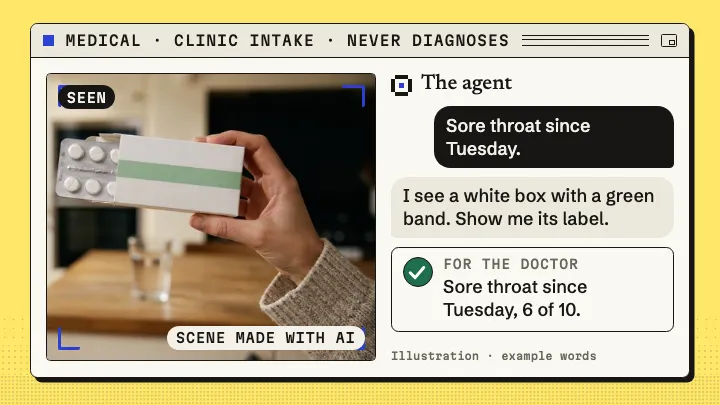
Medical
Clinic intake by video. It never diagnoses, and it is not for real patient data yet.
- Clinic intake: symptoms and medicine labels
- Dermatology bookingComing soon
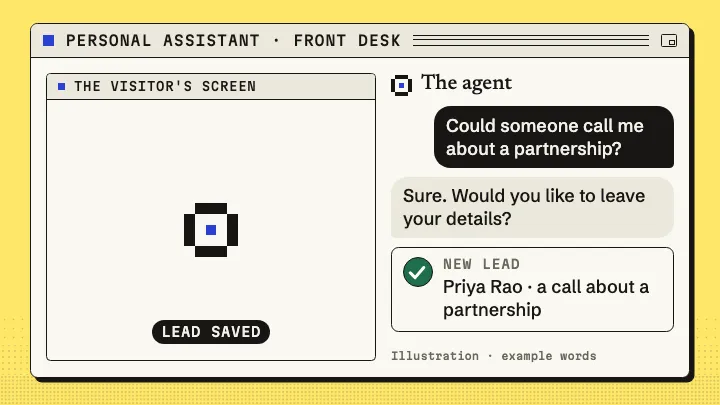
Personal Assistant
It meets visitors on your website. Once you switch on lead capture, it can take their name, their email and what they want.
- Takes a name, an email and the reason
- Booking on your own calendarComing soon
The tools behind them.
Knowledge
Paste your prices, policies or manual. It looks them up when a question needs them.
Notifications
You can get an email for each lead and each callback request, and a webhook tells your own system when a call ends.
Snapshot
It asks first, then takes a photo and reads the small print. You see it in your dashboard for 7 days.
Start from a template.
12 starting points you can edit. Or describe your own in one sentence.
Built to see, not to show a face.
Your agent’s job is to look at your customer’s side of the call: the dent, the label, the settings page. A talking face is optional and off by default, so there’s no avatar to render or pay for.
What it doesn’t do.
The honest limits, so nothing surprises you after you’ve put it on your site.
- Browser only. No phone numbers.
- Free calls are capped per visitor (10 a day), and up to 6 can run at once across everyone.
- About one frame a second: fine for a label or a screen, not fast movement.
- No recordings, and VoiceScholr keeps no transcripts. If the business running the agent connects a webhook, it is sent the transcript when the call ends.
- A snapshot photo, if the caller agrees to one, is kept 7 days, then deleted.
- The optional face is a preset character, not a replica of a real person.
- English only, for now.
Free to start, or bring your own key.
- Free: 10 calls a day per visitor, 10 minutes each, on the included Gemini Live model.
- Pro (coming soon): house minutes you pay for, no key needed.
- Your own key: $0 to VoiceScholr at any volume; calls up to 10 minutes, no daily cap.
Questions people ask about AI agents that can see.
Can an AI agent see what I show on my camera or screen and respond right away?
Yes. A VoiceScholr agent watches the camera or a shared screen about once a second while it talks with you in real-time voice, so it reacts to what it sees mid-conversation.
Do my customers need to download an app or create an account?
No. They open your agent's link in their phone or computer browser and press Talk. The browser asks for the camera and microphone only then, and they can start without the camera.
Is it free, and how long can a call last?
Yes, it's free to start, with no card. On the included Gemini Live model each visitor gets 10 free calls a day of up to 10 minutes. Add your own model key for calls of up to 10 minutes with no daily limit; you pay the model provider directly. See pricing
How do I add the agent to my website?
Three ways: share its link, paste the embed code into any page, or add a floating Talk button with one script tag. You can limit the embed to your own websites.
Can the agent book meetings?
Not yet for agents you build. Today only our own demo agent books calls, with Abhishek, the founder. Your agents answer, look and explain.
Are calls recorded? What happens to the video?
Calls are not recorded. The transcript is kept in server memory so the caller can see it, then deleted 10 minutes after the call. If the caller agrees to a photo, it is saved privately for the agent's owner and deleted after 7 days. The live stream goes to the AI model provider, Google Gemini by default, whose own terms apply. The default model uses Google's free tier, where Google may use call content to improve its products, so don't show anything sensitive.
Which AI models does it use?
Gemini 3.8 Live is included free. With your own API key you can switch an agent to Qwen Omni or OpenAI's realtime model, or to xAI Grok Voice, which is voice only. Keys are encrypted and never shown again.
What is an AI video agent, and does it need a face?
It's an AI you talk with over a live video call. Many tools focus on showing you an AI face; a VoiceScholr agent is built to see your side of the call, the camera or shared screen. A talking face is optional and off by default.